Installation & help
Start Here: Your New Major System
Open the box with a plan. Follow the path from device names and labeled equipment to a tested, activated system.
Know what happens next
-
Major contacts you
A member of Major contacts you within 3 business days of purchase. Check the email address you used at checkout. If you have not heard from us after that period, contact orders@majorhomesecurity.com or call (800) 564-8273 with your order number.
-
Name the devices before shipping
Major emails your post-purchase setup form. Use clear location names such as “Front Door,” “Kitchen Window” and “Living Room Motion.” Each label should identify one device in one location. Complete the form promptly so we can prepare the equipment before shipment.
Follow the account-information instructions provided by Major. This public help center does not collect emergency call lists, monitoring passcodes or arm/disarm codes. Do not put those details in general website contact forms; call Major if you are unsure how to provide them.
-
Receive your prepared equipment
For Major monitoring customers, every ordered sensor is enrolled and assigned its agreed name before shipping. Devices are labeled to match the plan. New system kits include mounting tape, the panel stand, the standard wall mount and a quickstart guide, along with the manufacturer’s standard supplied parts. Major supplies PGP9914 motion detectors with the pet mask already fitted. Tell us about your pets when discussing device locations. Verify the packing list against your actual order.
-
Plan and install using the device instructions
Match each device label to its intended location. Check placement, power and communication before final mounting. Keep the original required smoke/CO protection in service. Where a manual requires qualified installation, arrange that help rather than treating preprogramming as a substitute.
-
Call to begin activation
Once installation is complete, call (800) 564-8273 during office setup hours: Monday–Friday, 9 a.m.–4 p.m. Eastern. Major creates your Alarm.com account during this call and coordinates the setup and testing. Full activation is completed within 24 hours of the activation call. Wait for Major’s confirmation that the relevant alarm and video services are active.
Keep names and labels together
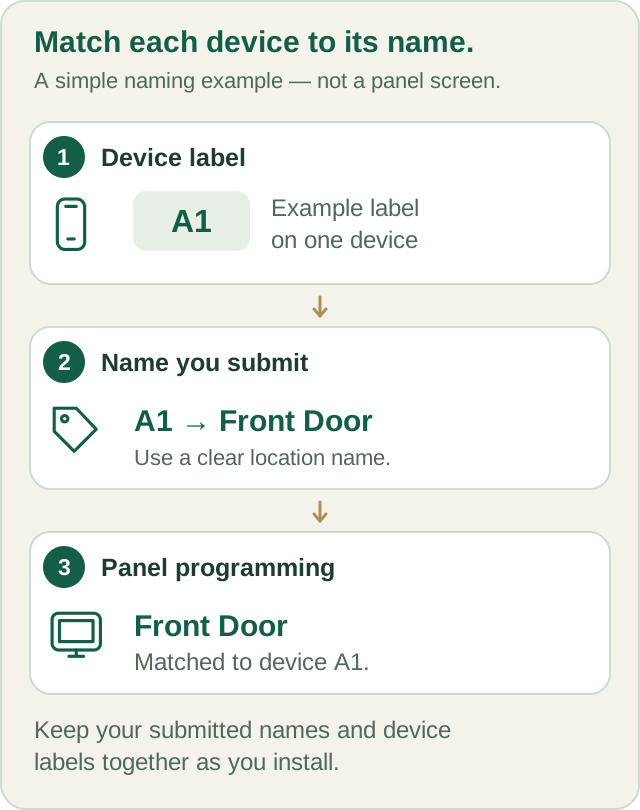
A physical label and a useful device name make installation, alerts and later support easier. If you move a sensor to another opening, tell Major so its account name and intended response can be reviewed. Do not swap devices between labeled locations without checking the plan.
Prepare your workspace
- Your order confirmation, packing list and device-location plan.
- The exact manufacturer instructions for each model supplied.
- A suitable, accessible power outlet for the panel and each plug-in camera.
- Your home Wi-Fi details, kept private. Camera video needs broadband internet.
- Any tools and mounting materials specified for the chosen device, surface and installation method.
- A phone and access to your email for the activation call.
The right tools depend on the surface and mounting method. Check for concealed wiring or pipes before any drilling. Do not work on mains wiring or improvise power supplies.
Check before you mount
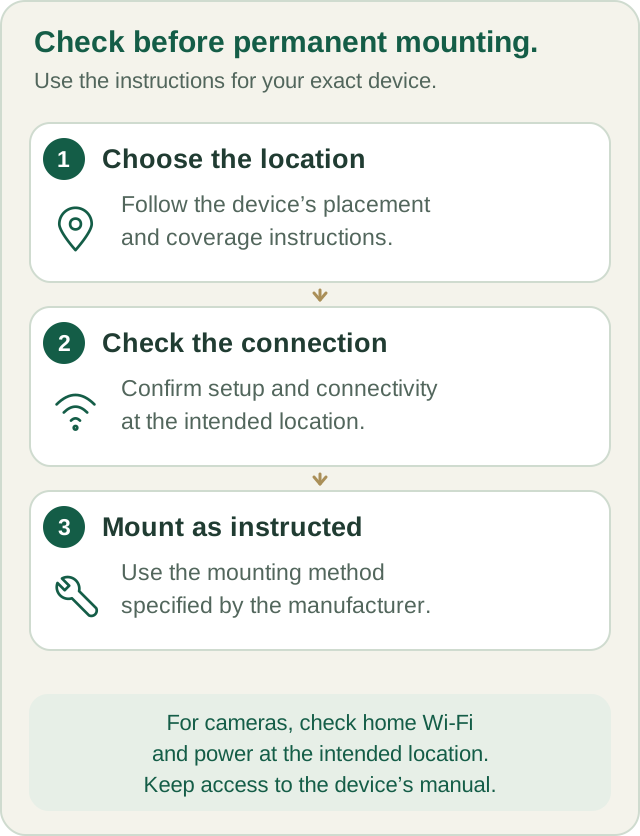
Do not reset the panel, delete enrolled devices, or change installer settings to resolve a problem. For monitored systems, contact Major first so the prepared configuration is preserved.
Ready for the activation call?
- Every device label matches the intended opening or room.
- Mounting and any required qualified work are complete.
- The panel has suitable power and no unexplained trouble message.
- The camera, if ordered, has plug-in power and usable home Wi-Fi.
- You can access the phone/email used for your order.
- You have arranged the call with Major before generating test alarms.
If something is missing or does not fit
Contact orders@majorhomesecurity.com for missing or damaged items. For physical installation difficulties, call Major to discuss guidance, help arranging a local subcontractor, or a return where the return policy applies. Obtain return authorization before shipping anything back.
Standard shipping remains free: orders ship within 7 calendar days of purchase and arrive within 14 calendar days of purchase. See the shipping policy; contact Major promptly if setup information for your order is not ready.
Your next step
Written guides are available to everyone. Preprogramming, setup assistance and ongoing technical support are included with Major Home Security monitoring. Equipment-only purchases include free written guides, without personalized programming or technical support.