
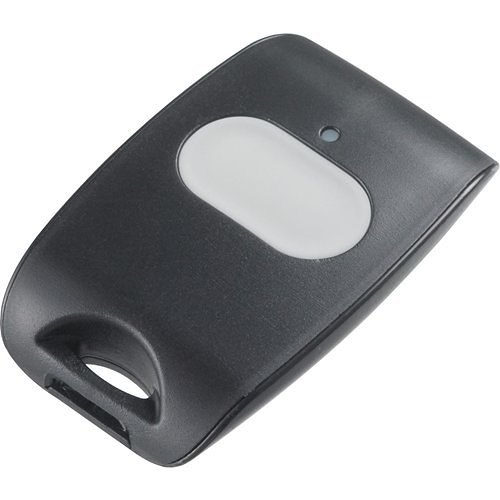
Description
A simple way to trigger your alarm
The DSC PG9938 puts a large, clearly defined panic button in a small portable device. Instead of navigating a touchscreen or opening an app, you press and hold the button to send its programmed event to your compatible PowerG alarm system.
Choose it when you want an accessible manual alarm control at home: beside a bed, at a regular work area or carried within the property. Decide in advance where it will be used and how its event should be handled during monitoring setup.
Designed for deliberate activation
- One large button with a two-second activation delay.
- An LED that indicates transmission and acknowledgement.
- A neck strap and multifunction clip for flexible placement.
- A water-resistant enclosure.
- Supervised PowerG wireless operation using a CR2032 lithium battery.
The delay helps distinguish a deliberate press from a brief accidental touch. Make sure each intended user understands the hold action and can operate the button comfortably. Test it from the actual locations where it will be carried or mounted.
Understand the response before you need it
A received signal and an emergency dispatch are different steps. The button communicates with your alarm panel; monitored handling then depends on the event programming, an active communication path and the monitoring account’s response instructions.
During setup, confirm the event type, whether the alarm will be audible or silent, and the agreed response procedure. An acknowledgement light confirms communication with the system, not the arrival or dispatch of emergency personnel. Coordinate any live alarm testing with your monitoring provider.
Using it with IQ Panel 5
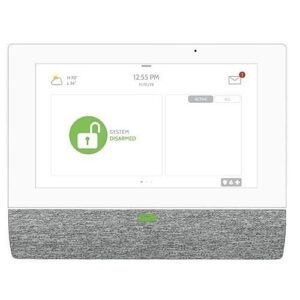
Qolsys lists the PG9938 in the North American compatible-equipment table for IQ Panel 5. It can be part of a new Major Home Security IQ Panel 5 system, with enrollment, programming and testing completed for your installation. For another control panel, check its exact model and current software before ordering.
Is this the right button for you?
Will it work away from home?
This is an accessory for a nearby compatible PowerG alarm system. It is not a standalone cellular device or a GPS locator. Building materials and installation conditions affect usable wireless coverage, so verify operation throughout the intended area.
Does it detect a fall automatically?
No automatic fall-detection feature is offered for this product. The PG9938 is operated by pressing its button. If you need a dedicated medical-alert service, discuss that requirement before choosing equipment.
What do I need to use it?
A compatible panel, enrollment, appropriate event programming and testing. Professional response requires an activated monitoring plan. See our IQ Panel 5 for a new system or contact Major Home Security to confirm compatibility and response arrangements for your home.
Product documentation
Manufacturer PowerG technology brochure. Follow the current manufacturer instructions for installation, testing and replacement.
Reviews
There are no reviews yet.