
Installation & help
Door & Window Contacts: Placement & Setup
A good contact plan starts with the opening, the mounting surface and accurate sensor-to-magnet alignment.
Understand the two parts
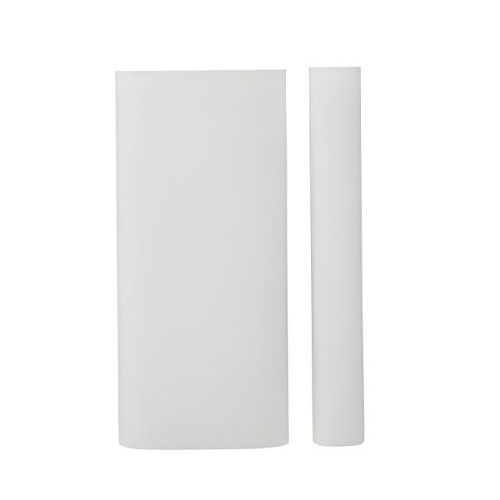
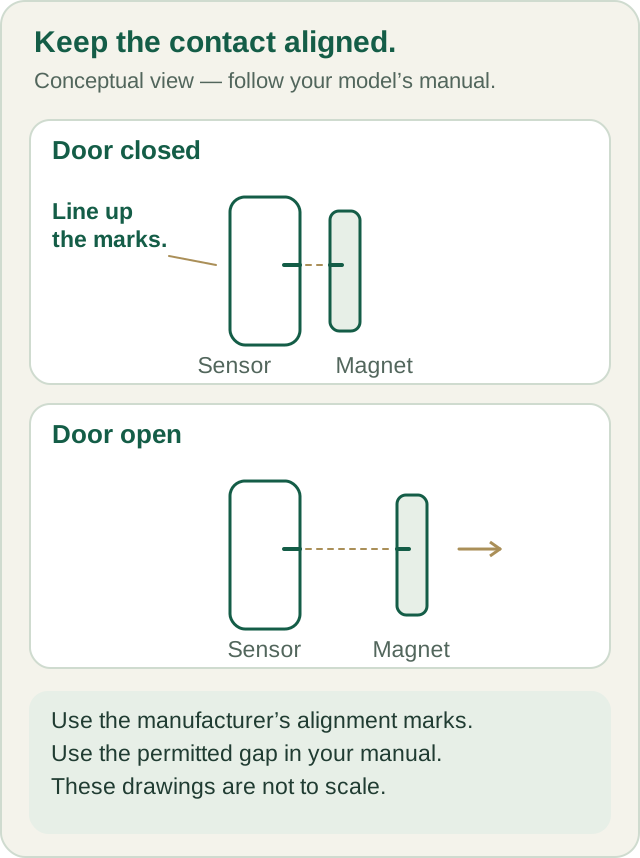
The contact has a sensor and a separate magnet. In the manufacturer’s arrangement, the sensor is on the stationary frame and the magnet is on the moving door or window. Their positioning marks align when the opening is closed. When the opening moves, the magnet separates from the sensor.
For Major monitoring customers, the sensor arrives enrolled and named. Match the physical label to the location list before deciding where it belongs. A “Front Door” sensor should not be moved to a bedroom window without reviewing the change with Major.
Review each opening before mounting
-
Identify the moving and fixed surfaces
Open and close the door or window normally. Look for a position where the two parts can stay aligned when closed and separate as intended when opened, without rubbing against each other or obstructing operation.
-
Look at the frame material and offsets
A recessed sash, stepped frame or metal surface needs a closer review. Share a clear photo with Major if the surfaces are uneven or the ordinary arrangement does not fit. Keep account codes and other private details out of the picture.
-
Use the model’s alignment instructions
The PGP9303 manual provides different detection distances for different directions and mounting materials. Those thresholds are not one universal recommended gap. Do not use a generic “half-inch rule” from a different sensor.
-
Confirm the mounting method
Follow the manufacturer’s tape, screw and tamper-protection requirements for the installation. Major supplies mounting tape, but its use still needs to be appropriate for the device, surface and installation category. Ask before substituting tape or mounting hardware.
-
Coordinate the final checks
Arrange the manufacturer-specified communication and opening/closing checks with Major. After mounting, verify that the correct named opening changes state as expected and that any monitoring checks are completed through the agreed test process.
Useful checks to make together
- The label and programmed name identify the actual opening.
- The sensor and magnet follow the model’s orientation and positioning marks.
- The door or window moves freely without striking either part.
- The approved mounting method fits the surface and required tamper protection.
- Communication is checked at the final location, not just beside the panel.
- Opening and closing are checked with Major under the agreed testing procedure.
Call (800) 564-8273 before both initial and routine alarm testing. A local light or a change on the panel is not, by itself, proof that a monitoring signal has been received.
If something does not look right
The panel says the opening is open when it is closed.
Check the physical opening and note the displayed device name. Look for an obviously shifted magnet or mounting part. Ask Major to review alignment and setup before moving hardware, changing settings or deleting the device.
The adhesive will not hold.
Stop and review the surface and approved mounting method with Major. Supplied tape is not a promise that every painted, textured, damp or irregular surface will work. Do not rely on a loosely mounted sensor.
I want the window partly open while armed.
Ask Major to review that use before changing the arrangement. Do not add or relocate magnets to simulate a closed opening; that can change what the system detects.
Can one contact protect two separate windows?
Do not assume so. Plan detection for the actual moving openings. Major can help review the layout before you order or change the device plan.
Manufacturer instructions
This guide concerns the DSC PGP9303, within the PGPx303 family. Match the model on the device to the current instructions and have the required qualified installation completed.
Your next step
Written guides are available to everyone. Preprogramming, setup assistance and ongoing technical support are included with Major Home Security monitoring. Equipment-only purchases include free written guides, without personalized programming or technical support.